How to make a wishlist for your child (that grandparents will actually use)
By Volodymyr Pavlenko · · Updated
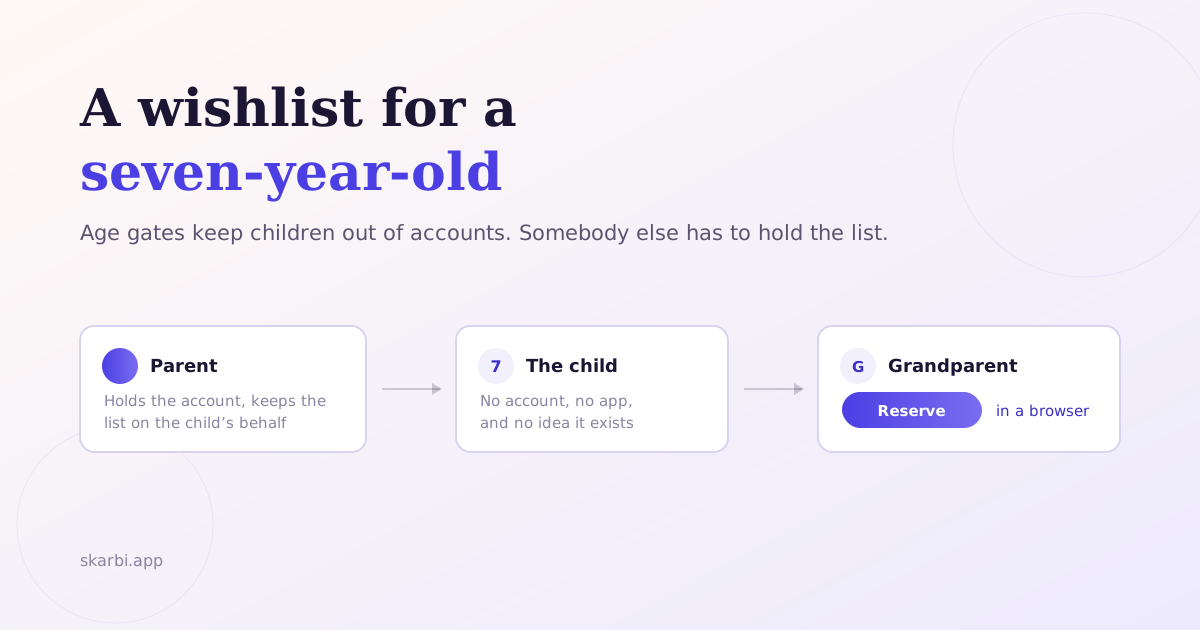
Most advice about children’s wishlists starts at the wrong end: pick an app, add items, share. The hard parts are earlier and later — getting a child to name something they genuinely want, and getting a grandparent to actually open the link.
Start by not asking
“What do you want for your birthday?” is the least reliable question you can ask a child. Asked cold, in the week before an occasion, it returns whatever they saw most recently — an advert, a thing a friend had that afternoon, or nothing at all. Then the present arrives and it turns out the real answer was something they mentioned in June.
Children broadcast what they want constantly. Almost never when you ask.
The useful moments are ambient: at a friend’s house, mid-cartoon, in a shop, halfway through a sentence about something else. The method is to write those down when they happen rather than to hold an interview later. If you take one thing from this: the wishlist is a record, not a survey.
Two things make that easier in practice. First, capture has to take under ten seconds, or you won’t do it while parenting. Second, it has to land somewhere durable — a note you’ll actually find in November. That’s the same year-round capture habit covered in keeping track of gift ideas all year, applied to the person least able to keep a list themselves.
What to write down
A name alone is rarely enough. Aim for the detail that stops a well-meaning relative buying the wrong version:
- Which one. “Lego” is not an item. “Lego City fire station, set 60414” is.
- Size, colour, edition. The details you know and a grandparent doesn’t.
- A link if one exists, a photo if it doesn’t. For a thing spotted in a shop window, a photo beats trying to describe it.
- When they mentioned it. A want from three weeks ago is more reliable than one from last February — children’s interests move.
- Roughly what it costs. Not for the child; for the relatives, who need to know what fits their budget.
Age gates, and why they matter
Most wishlist services follow app-store age gating and expect an account holder to be 13 or older. Below that age, your child cannot hold their own list, so you need a tool that supports making one on their behalf. There are three models that handle it.
Sub-accounts. GoWish lets a parent create a sub-account for a child, partner, or one-off surprise. The parent maintains the list on the child’s behalf; guests see it as the child’s list. See GoWish’s help article on sub-accounts.
Child accounts inside a family group. Giftster runs on shared family groups, and a parent can create a child account and organise that child’s list from their own login rather than making the child a separate member. Adults claim items to prevent duplicates, and purchases are hidden from the list maker. This is covered in more depth in the Skarbi and Giftster comparison.
Capture-first inboxes. Skarbi treats every family member — child, partner, or a “space” like a household or hobby — as a durable inbox for gift ideas. You capture ideas throughout the year and share a wishlist derived from that inbox when a birthday approaches. Children are the case where this model earns the most, because they name things they want constantly and almost never at a useful moment. (Skarbi is iPhone-only; the shared link opens anywhere.)
How long should the list be?
Long enough that every giver has a genuine choice. The rule of thumb: two or three items per person you’re sharing with, spread across price points.
A four-item list sent to eight relatives produces one of two outcomes — duplicates, or a round of “has anyone got the bike yet?” messages that spoils the surprise anyway. Include some small things. The relative who wants to spend £15 needs an option as much as the one buying the big present, and is more likely to go off-list if you don’t give them one.
The share flow matters more than the list
Here is where most carefully-built children’s wishlists die: the grandparent opens the link, hits a signup wall, and closes it.
If a grandparent has to create an account before viewing the child’s wishlist, the link gets ignored. Prioritise apps where guests reserve without signing up, and test it yourself before you send it — open your own share link in a private browser window on a phone. If you see a signup form, so will they.
Two more things to check before you share:
- Are reservations hidden from the list owner? If the list lives under the child’s name and they can see what’s been claimed, you’ve built a spoiler. Avoiding duplicate gifts covers which apps hide this properly.
- Does the link work without an install? A link that opens an app-store page instead of the list is the same failure as a signup wall.
For a full comparison of guest friction across seven apps, see our roundup of family wishlist apps.
Guest friction is its own problem, and it applies to any list, not just a child’s. If the relatives you’re sharing with won’t install anything, start with how to share a gift list with relatives who won’t install an app — it covers how to test a tool’s signup wall before you send the link.
Tagged: wishlist, family, kids, gift-planning